Every inquiry, project and repeat client on one record
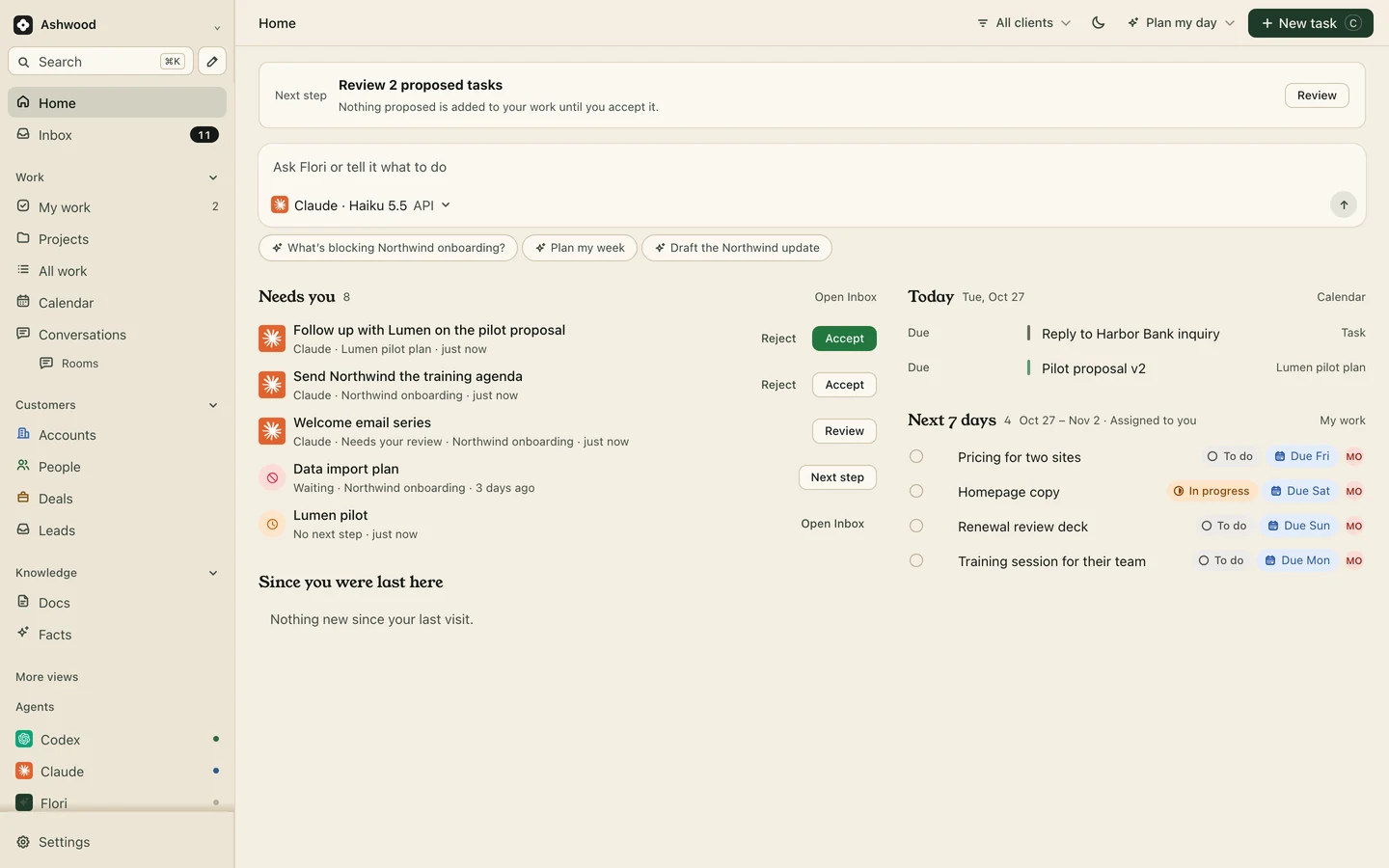
Inquiries arrive in Gmail, Instagram DMs and LinkedIn. The deposit notice is in your invoicing app, the scope change happened on a call, and the client from last spring is due for more work. Save the relevant facts on the client’s record and give each next action an owner and date. Messages from other services are not automatically imported by opening a workspace.
Fig. 1 · DemoA freelancer’s Monday: replies owed, work due, payments due
Where freelance income slips away
The inquiry you meant to answer
A referral DMs you on Tuesday. You reply “let me check my calendar” and it sinks under two client deadlines. Two weeks later they hired someone else.
Scope that only exists on the call
Twenty minutes into the review call the client asks for a blog template and a second homepage option. It is in your head, not in the plan, and not in the quote.
The final payment nobody chases
The 50% deposit came in. The other 50% was due on launch, the site launched three weeks ago, and nothing in your week reminds you.
Inquiries in one list, wherever they arrived
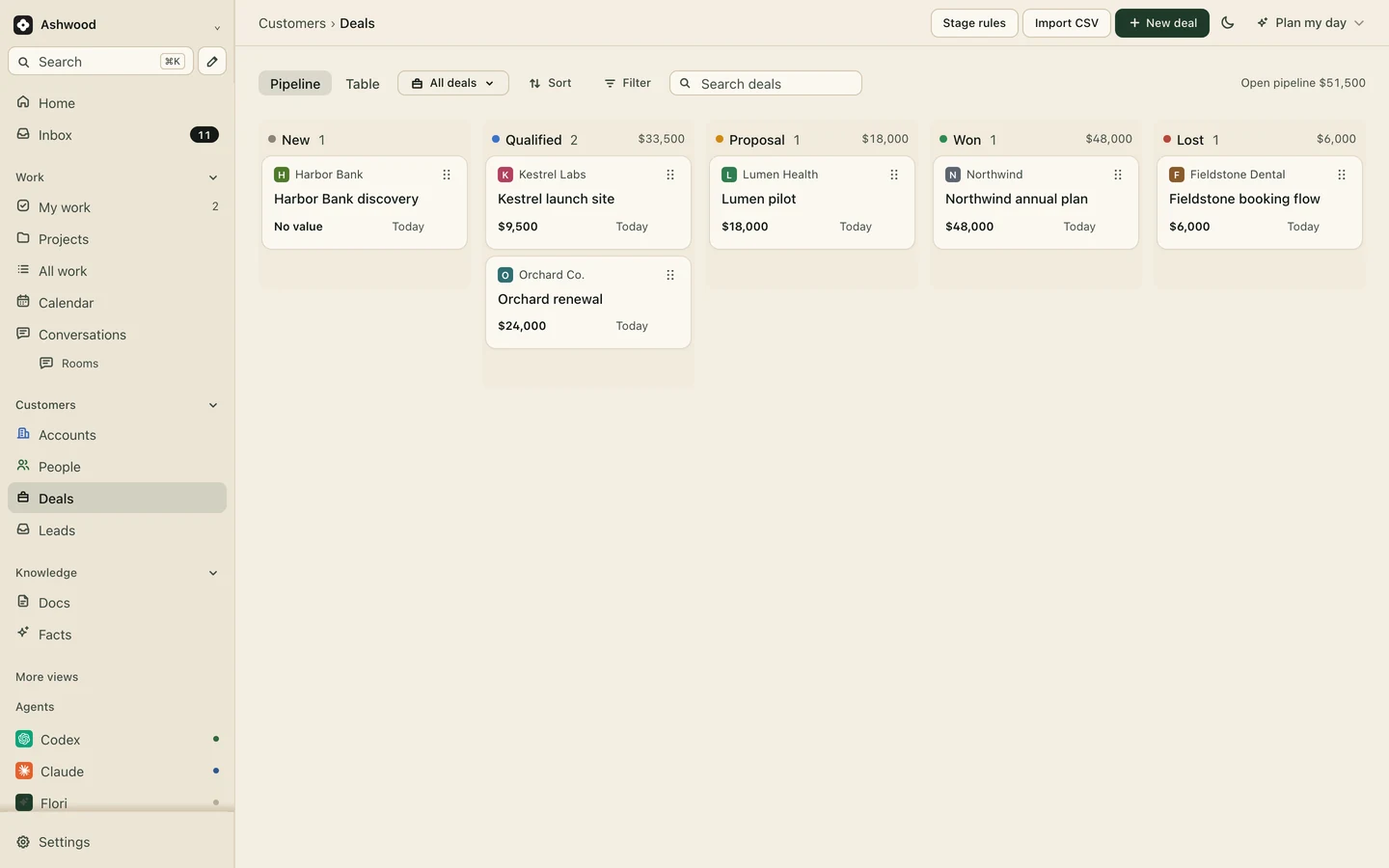
Record the inquiry and its source, then create the appropriate account and deal when you have confirmed the opportunity. Use the deal stages New, Qualified, Proposal, Won and Lost. A form on your site can drop new inquiries straight into the list, so the Tuesday DM and the contact form end up in the same place.
Inquiry forms: Core and up
Five stages are plenty for one person.
Record the scope change before accepting more work
Capture the review notes from Granola, Fireflies or Fathom, review the suggested work and accept the tasks that match what was agreed. Or tell Claude what was agreed and it adds the tasks and a note on the account, so the extra work is visible before you quote it.
Meeting notes: Core and up
Kestrel Labs · Launch site
Quoted$9,500 · 5 pages
Added on Oct 21 callBlog template, 2nd homepage
StatusNot in the quote yet
ClSaved both requests as tasks with a note: not in the original quote.
Final payments you can see coming
Flori does not send invoices or take payment. Add “Final payment, 50%” to the project as a task in Waiting with a due date, and it shows on Home in your next seven days until you mark it done. On Premium you can also record each invoice and payment on the account.
Recording invoices and payments: Premium
Fieldstone Dental · Booking flow
Deposit, 50%$3,000 · received Sep 30
Final payment, 50%$3,000 · Waiting, due Nov 4
LaunchOct 28
Repeat clients before they find someone else
Save a view of past clients with no active project, sorted by when you last worked together. Each Friday, pick one and send a short email from their record through Gmail. Contact a past client only when there is a relevant reason; age alone does not establish a need.
Past clients · no active project
Orchard Co.Brand refresh, done March
Lumen HealthLanding page, done May
Juniper YogaBooking site, done June
MEmailed Orchard about their autumn campaign. They reply Monday.
One freelancer, one week
Fictional example: An example from Maya, a web designer with four clients and a waiting list.
Monday
A referral asks about a booking site in a LinkedIn message. Maya adds them as a lead before she opens Figma.
Tuesday
The discovery call runs in Granola. The three must-have pages become tasks before she closes the laptop.
Thursday
Kestrel Labs approves the homepage on their client page. The two pages they added on the call sit on the board as extra work, priced.
Friday
Home shows Fieldstone Dental’s final payment due Monday. She sends the reminder from the record, then emails Orchard Co. about a refresh.
One owner, from first inquiry to repeat work
A solo service business needs a clear next action more than a complicated sales process. Try the fictional Juniper website job: add the inquiry, confirm the five-page scope and approver, then create the delivery project and its next dated task. You remain the delivery owner; the client supplies inputs and decisions.
After the inquiry, record the agreed follow-up date instead of relying on the message thread.
When the job is agreed, check scope, start conditions and payment evidence separately. A won deal is not a paid invoice.
Keep an extra-page request outside accepted work until its cost and timing are agreed.
After handover, set a follow-up task only where it makes sense for the client. A past project does not prove they want another one.
For one person, Core is $12 monthly or $120 billed yearly, before tax. Your assistant's subscription or usage charges are separate. You can begin without an assistant and add a read-only connection later.
If contracts, booking and collecting deposits are the main problem, compare HoneyBook and Dubsado. Flori does not replace those functions. This page is for solo client-service work; the founder setup addresses building your own product.
Core fits a working freelancer
Free covers 3 active projects and 200 customer records, enough to try it with your current clients. Core removes the free-plan project and customer-record limits and adds client pages, inquiry forms, project templates and meeting notes. You are the only seat, and clients are free.
No. Keep your invoicing tool for that. On any plan you can track each payment as a task with a due date, and on Premium you can record invoices and payments on the client’s account. See the freelance invoice template.
Is Flori a HoneyBook or Dubsado alternative?
Partly. If you want contracts, invoices and booking in one app, a client management suite may suit you better. Flori is stronger on the project itself, client approvals and working with your own AI. See HoneyBook alternative and Dubsado alternative.
What does one freelancer pay?
Free is $0 with 3 active projects. Core is $12 a month, or $10 billed yearly, for one person. Connecting your own ChatGPT or Claude costs nothing extra, because Flori sells no AI credits.
Do my clients need to pay for Flori?
No. Clients and guests are free on every plan. On Core they follow the project and approve work from one client page that shows only what you publish.