Starts the day the deal is won
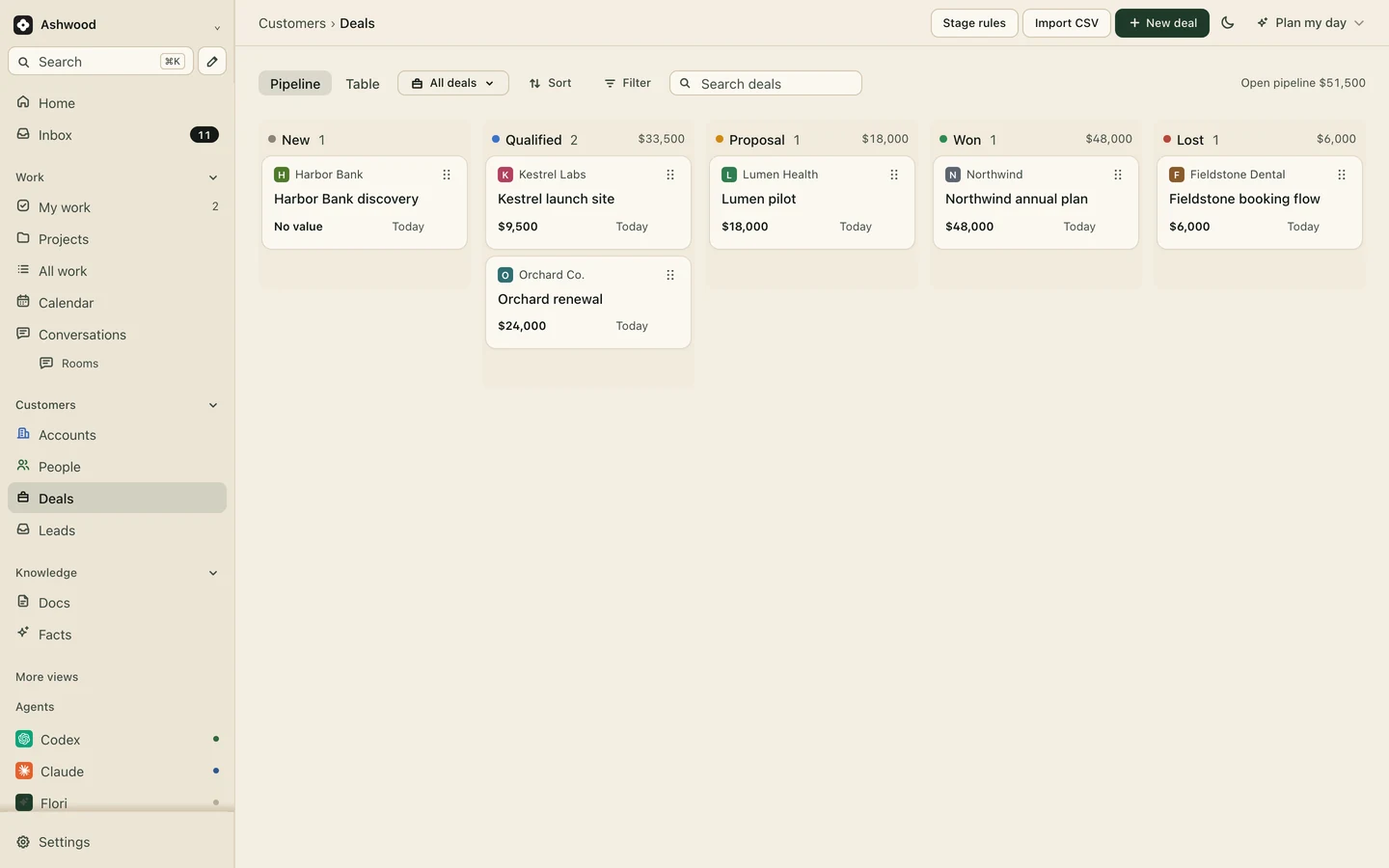
Move the deal to won and start the onboarding project on the same account. Link the deal and check the account, contacts and value. Copy the accepted scope into the brief; the proposal is not automatically reproduced.
The contract is signed and the client is keen. What happens next decides whether they still are in month three: how fast the kickoff lands, how often you chase logins, and whether anyone checks in at day 30. Start that work from a template after confirming the agreement, inputs and owner.
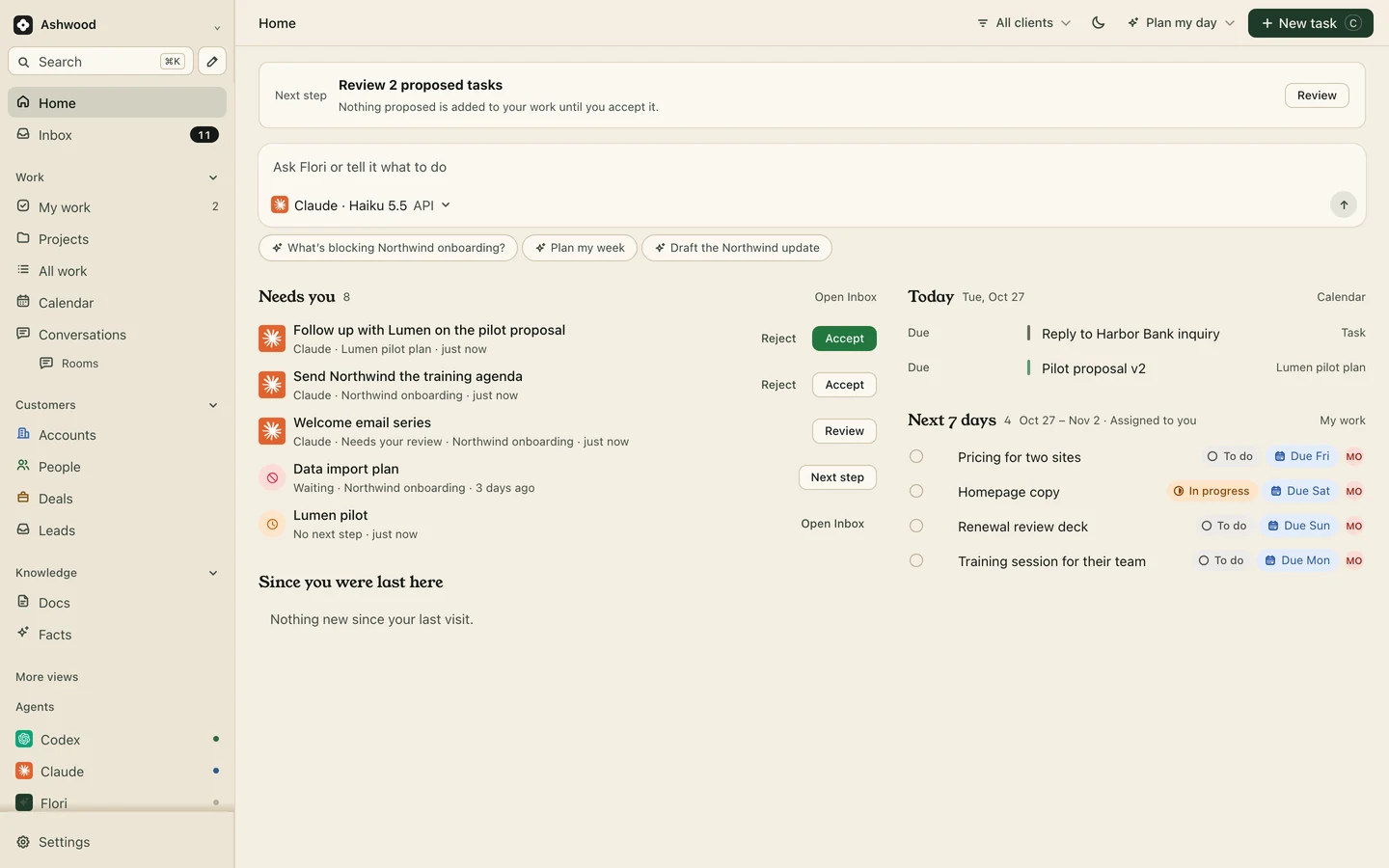
Fig. 1 · DemoDay 3 of onboarding Lumen Health
They signed on Thursday. The kickoff lands eleven days later because three people each thought someone else had sent the invite.
You need the analytics login, the domain registrar and the brand folder. They arrive one at a time, and the first deliverable waits on the last one.
The welcome email goes out on day one for one client and day nine for the next. The 30-day check-in happens only when a client complains.
Move the deal to won and start the onboarding project on the same account. Link the deal and check the account, contacts and value. Copy the accepted scope into the brief; the proposal is not automatically reproduced.
Start from the client onboarding template and add your own steps: welcome email, access checklist, kickoff, first deliverable, day 30 check-in, with owners and dependencies. When a step turns out wrong, fix the template, not only this client’s project.
Project templates: Core and up
Each thing you need from the client is a task set to Waiting, so the board shows what is held up on their side and since when. Ask for logins through the client’s password manager, never by email, and close each task as access arrives.
Each email in the welcome sequence is a task with a date. Claude or ChatGPT drafts it from the deal and the kickoff notes, you approve it in the review queue, then send it from the client’s record through Gmail. Review captured notes from Fireflies, Granola or Fathom before accepting tasks on the project.
Meeting notes: Core and up
Fictional example: An $18,000 pilot, onboarded by a three-person team.
The deal moves to won. Maya creates and links the project, checks its scope and sends the reviewed welcome email.
The kickoff is on the calendar. The access checklist goes out, and four tasks move to Waiting.
Kickoff. Granola notes become tasks, and the client page shows the plan to day 30.
The check-in task comes due. Priya asks what is still annoying and saves the answer on the account.
Start with the fictional Juniper checklist. Decide who performs each action before calling the process automated.
In the example, Casey must grant a named team member CMS access. If that sign-in fails on day 3, leave the access task Waiting and record the error without a secret. Alex owns the follow-up. Design review can continue if its inputs are available; the CMS build cannot.
At day 7, report the actual state and the delivery impact. Do not mark access complete because a request was sent, or invent a revised date before the owner agrees one. Use the delayed and awaiting-approval messages and the checklist with done conditions.
After the first engagement, improve the reusable template. Existing project copies remain independent; changing the template does not silently rewrite their plan.
Core adds project templates, client pages, forms, Slack and meeting notes, with unlimited projects and clients. Clients, guests and assistants are never seats.
Core $12 per person a month, or $10 billed yearly
Start freeA welcome email on day 0, a kickoff within the first week, an access and assets checklist, a date for the first deliverable and a check-in at day 30. The client onboarding checklist walks through each step.
Yes. The client onboarding template sets out kickoff, inputs and the first delivery in order. Add your welcome emails and day 30 check-in, then edit it after your first client.
No. Flori has no e-signatures and does not send invoices or take payment. Sign and collect in your own tools and link the signed agreement on the account. On Premium you can record the payment received.
Templates and client pages are on Core: $12 per person a month, or $10 billed yearly. Clients, guests and AI assistants are free.