Carry the agreed scope into delivery
Track every prospect as a deal. When one is won, create the project from your onboarding template, link the deal and copy the agreed deliverables into the brief. Check the result before assigning delivery.
Most small agencies sell in one tool and deliver in another, and the handoff is where scope, dates and goodwill leak out. In Flori you link the deal to delivery, publish reviewed work for the client and ask your own Claude or ChatGPT to help keep the records current.
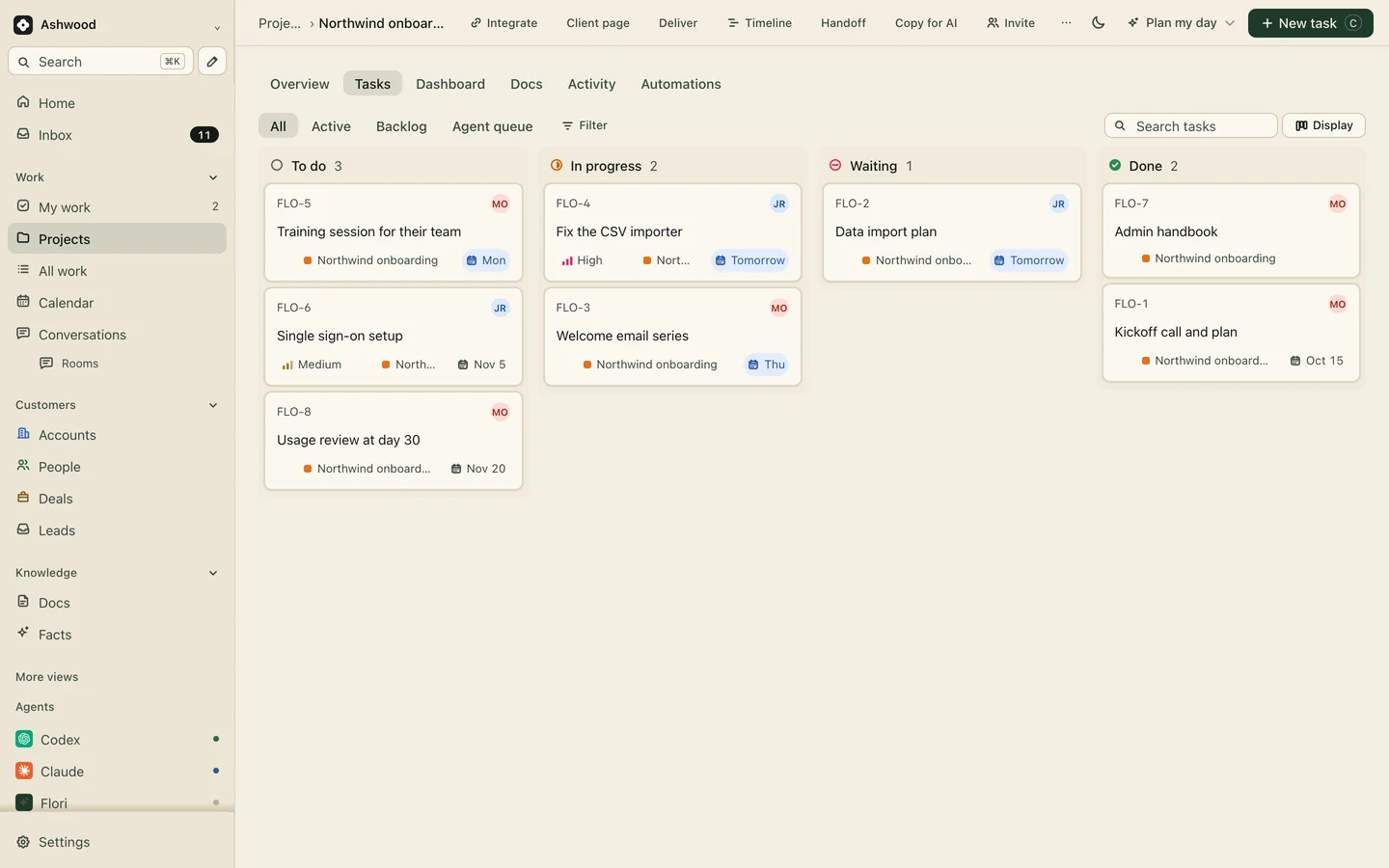
Fig. 1 · DemoNorthwind, a new client in its first month
The proposal promised five pages. The project board has four. Nobody notices until the client does.
An account manager rebuilds the client update from Slack, the board and email every Friday.
Your team already pays for ChatGPT or Claude, and the project tool wants AI credits on top.
Track every prospect as a deal. When one is won, create the project from your onboarding template, link the deal and copy the agreed deliverables into the brief. Check the result before assigning delivery.
Publish only what the client should see. They follow progress and approve deliverables from one link, and nothing reaches them until you publish it. Clients and guests are free.
Client pages: Core and up
Each person sees their tasks across every client in My work, and the board shows what is blocked on the client. Review captured meeting notes and accept tasks on the right project. Configure project notifications separately if you want updates in Slack.
Slack and meeting notes: Core and up
Connect the ChatGPT, Claude, Cursor or Codex your team already pays for. Mark work Ready for AI, one assistant claims it, and an account lead approves the result before it reaches the client. Your assistant provider’s plan limits and charges still apply.
Fictional example: Ashwood, a four-person studio.
The Northwind deal is won. Maya creates the onboarding project from the template, links the deal and checks the scope in the brief.
Kickoff notes from Granola become tasks. ChatGPT splits the deliverables and flags two open questions.
Claude drafts the welcome emails. Maya approves them and publishes them to the client page.
The client approves the emails from the link. Nobody wrote a status update.
For a two-to-five-person service agency, the useful test is whether the people selling the work can hand over its actual promises. In our fictional Juniper project, Rowan approves, Casey supplies inputs and Alex owns delivery. The scope is five pages and two revision rounds; a sixth-page request needs a separate decision.
Open the complete brief and six-task plan. It includes sample CSVs through the CRM buying guide. The example is free to copy into any tool.
This workflow manages your agency's own prospects and delivery. It is not a white-label marketing CRM deployed into each client's business. Keep campaign sending, payment collection and signing in the systems that perform them. Test a client page with synthetic information before sharing a live engagement.
For three people, Core is $36 per month on monthly billing, or $360 per year ($30 monthly equivalent), before tax and separate assistant costs. Compare the same team-size scenarios and check whether you need a competitor's billing or resource-planning features before moving.
Core gives unlimited projects and clients, client pages, forms for inquiries, Slack and meeting notes. Premium adds workflows, several companies, revenue tracking and roles. Clients, guests and AI are never seats.
Core $12 per person a month, or $10 billed yearly
Start freeFlori keeps client records and projects together, includes client pages from Core, and connects to your own assistants. Compare the exact CRM product, plan and workflow; competitors also offer CRM and AI capabilities. See ClickUp alternative and monday.com alternative.
No. Clients and guests are free on every plan. Client-page viewers see the published page; invited workspace or project guests have the access granted to their account.
Log time on tasks to see hours against a retainer, and on Premium record invoices and payments on the account. Flori does not bill from time or send invoices. See retainer agreement template.
Core is $12 per person a month, or $10 billed yearly, so $50 to $60 a month for five people. Clients, guests and assistants are free.